Nova Launcher Prime
Instabridge Sweden ABPersonalization
4.142.87K Reviews
- Version
- Varies With Device
- Installs
- 5.00M
- Age Rating
- Everyone
Screenshots
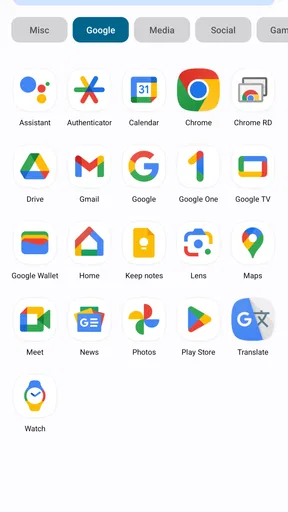
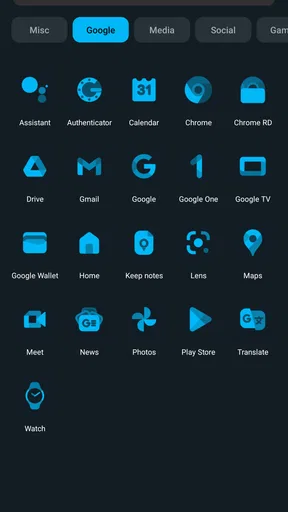
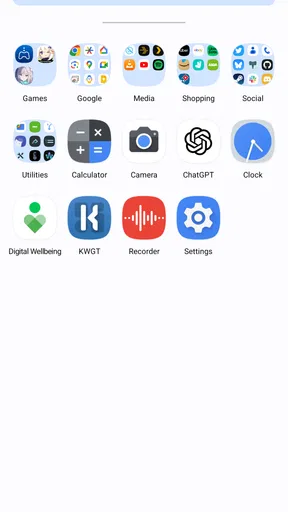
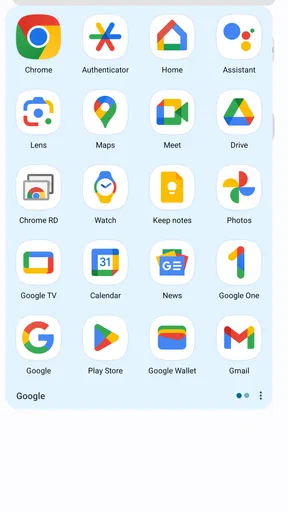
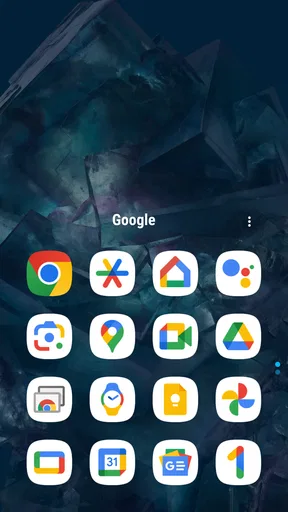
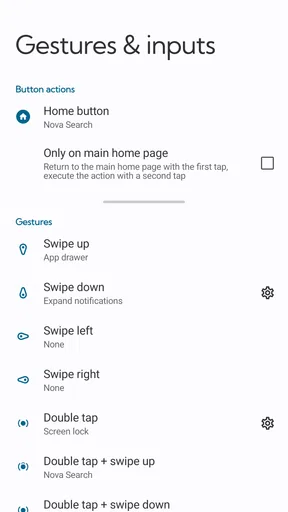
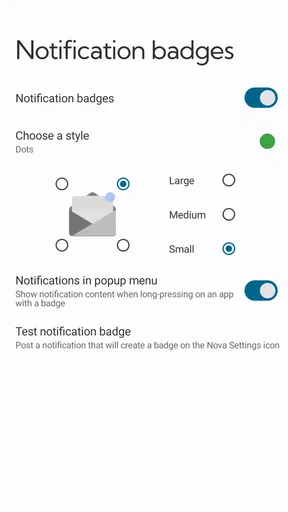
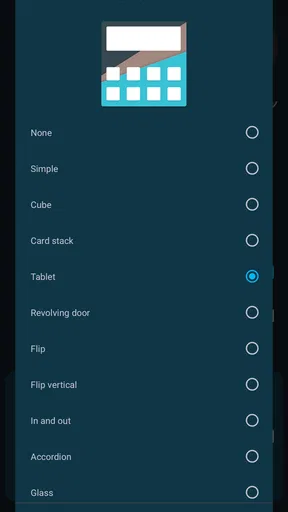
Our Review of Nova Launcher Prime
 Analysis by Appyee
So, I finally got around to tinkering with Nova Launcher Prime, and let me just say, it's been quite the adventure. If you're anything like me and love personalizing your phone until it feels just right, then you're in for a treat. Let's dive into what makes this app a must-have for customization enthusiasts.
When the connection matters—and when it doesn’t
A launcher changes the way I reach apps and arrange the home screen, so I don’t expect every part of the experience to depend on a network connection. The practical distinction is between setting up the interface itself and seeking out things from elsewhere. Adjusting a layout or choosing how the app drawer looks is a different task from browsing online for new icon packs or design ideas. I find it useful to plan those as separate jobs rather than assume every customization choice is available wherever I happen to be.
For example, if I’m waiting somewhere with an unreliable signal, I can still think through a simpler arrangement: which apps belong on the first screen, which ones I want in the drawer, and whether a gesture would save a tap. I’d leave searches for new themes or community inspiration until I have a dependable connection. That small distinction makes the launcher feel less like a project that needs constant online attention and more like a home-screen tool I can shape at my own pace.
A practical setup for different parts of the day
I’d start with the screen I use most, not with every setting in the menu. A useful everyday layout might keep calls, messages, maps, and a calendar within easy reach, while less frequent apps stay in the drawer. Then I’d test one gesture at a time. A swipe-down action can be convenient if it replaces a reach to the top of the display, but it should not be assigned casually: if I trigger it by accident while scrolling or tapping around, the shortcut becomes friction instead of help.
That’s especially relevant when moving between contexts. At home, I might want widgets and a larger set of shortcuts; while commuting, I may prefer a less crowded screen that makes the important items easier to hit. Nova’s flexibility is most useful when I make those decisions deliberately rather than filling every available space. The trade-off is that a highly decorated screen can take longer to scan, especially when icons, widgets, and folders compete for attention.
Who will get the most from this launcher?
I’d recommend Nova to someone who knows what they wish their Android home screen did differently: perhaps they want a particular app drawer, a consistent icon style, or gestures that reduce repetitive navigation. It also makes sense for people who enjoy trying layouts and keeping a preferred arrangement safe before experimenting. If you rarely touch your home screen and the standard launcher already feels comfortable, the extra control may not be worth the time spent exploring options.
It is also worth separating the launcher from the phone itself. Nova changes the interface and the routes into your apps; it is not a replacement for those apps or a way to make a weak network connection better. Someone whose main goal is finding public Wi-Fi, managing mobile data, or fixing signal problems should look for a tool made for connectivity instead. Nova is the better fit when the problem is that the phone’s home screen feels cluttered, awkward, or too generic.
Everyday trade-offs and a calmer way to experiment
One realistic routine is to save a layout before making a bigger change, then adjust only one element at a time: perhaps the grid, the app drawer, or a gesture. After using that setup for a few ordinary days, I can tell whether it genuinely saves effort or merely looks different. If I change several things at once, it becomes hard to know which choice improved the experience and which one made familiar actions harder.
Backups are especially helpful when trying a more ambitious redesign or moving toward a new arrangement. I’d treat a saved layout as a way to protect my own work, not as a guarantee that every part of a phone’s appearance or every third-party element will behave identically after a change. That’s a sensible habit with any customized setup: keep a known-good version, test the new one, and return to the old arrangement if daily navigation gets worse.
There is a learning curve, even though the settings are organized. The number of choices can tempt me to keep adjusting details long after the home screen is already usable. My advice is to decide what is bothering you first, make a small change, and stop when the phone becomes easier to use. That approach also limits needless online browsing for themes and inspiration, which is useful when I’m trying to keep setup time—and data use—under control.
Why Nova Launcher Prime Stands Out
When it comes to launchers, Nova Launcher Prime is like that trusty Swiss Army knife you never knew you needed. It offers a surreal level of customization that can transform any Android phone into a personalized powerhouse. Whether you're a minimalist at heart or someone who loves a vibrant, feature-packed home screen, Nova's got your back.
It is a paid personalization app from Instabridge Sweden AB, priced at $3.99, and it is rated for Everyone. It arrived on February 23, 2012, and has attracted over five million installs, with an average rating of 4.2 from around 368,000 ratings and about 43,000 written reviews. Those figures suggest that many Android users have made room for it, but popularity alone is not a reason to buy: I’d pay for the extra control only if I planned to use it.
Customization Galore
The first thing I noticed was the sheer number of options available. We're talking about changing everything from icon shapes to the way your app drawer looks. You can even customize gestures to perform specific actions, which is super handy. Want to swipe down on your home screen to open notifications? Done. Double-tap to lock your screen? Easy peasy. The possibilities are endless.
One feature that really blew my mind is the ability to import layouts from other launchers. So, if you're switching over from a different setup, you won't have to start from scratch. It's like Nova understands our love for continuity.
That importing option is most valuable when I already have a layout I like and want to avoid rebuilding it item by item. I would still check the result afterward: a familiar arrangement is a starting point, not a reason to skip confirming that the apps and shortcuts I rely on are where I expect them. For a first-time user, beginning with a clean, simple screen can be easier than importing a complicated setup and then trying to understand every inherited choice.
Performance and Usability
Now, I know what you're thinking—does all this customization slow down the phone? Surprisingly, no. Nova Launcher Prime is optimized to ensure smooth performance, even with all the bells and whistles. The transitions are buttery smooth, and I haven't experienced any lag, even on my slightly older device. This is a testament to the developers' dedication to creating a seamless experience.
Another thing that stands out is the app's usability. It's intuitive enough for beginners but offers advanced options for those who like to get their hands dirty. The settings menu is neatly organized, making it easy to find what you need without going on a wild goose chase.
My practical test for whether a launcher setup is working is not how impressive it looks in a screenshot, but whether I can find a frequently used app without pausing to think. A clean first screen and a predictable drawer often beat a more elaborate design in a hurry. If the phone feels less straightforward after customization, I’d undo the last change rather than assume I need to learn a more complicated system.
Widgets and Integrations
If you're a widget aficionado, Nova has your back. The app allows you to resize widgets, overlap them, and even create your own styles. This means your home screen can be as functional as it is beautiful. Plus, Nova integrates seamlessly with other apps, allowing for a cohesive experience across the board.
One of my favorite integrations is with Google Now. With just a swipe, you can have all your Google cards at your fingertips, which is perfect for staying updated on the go.
Widgets can make a home screen more useful, but I’d choose them by task rather than appearance. A calendar widget can save me from opening another app to check what is next, while several overlapping panels can make the screen feel busy and harder to read. I’d also review a widget’s own behavior separately from Nova’s layout controls: the launcher arranges the space, while the widget’s usefulness depends on the app behind it.
Backup and Restore Features
Let’s talk about one of the unsung heroes of Nova Launcher Prime—the backup and restore feature. It’s a lifesaver for anyone who loves experimenting with different setups. You can save your current layout and restore it anytime, meaning you can try new things without fear of losing your favorite configuration. It’s like having a time machine for your home screen!
I’d save a backup before a major redesign, and again once I’ve settled on a layout I like. That gives me a known fallback if an experiment makes everyday navigation confusing. It is a simple workflow, but it changes how freely I’m willing to test options: I can explore without treating every adjustment as permanent.
Why I Love It
Honestly, what I love most about Nova Launcher Prime is the freedom it gives me. I've always been a fan of making my phone reflect my personality, and Nova lets me do just that. Whether it's through quirky icon packs or snazzy animations, my phone finally feels like it belongs to me.
Plus, the community support is fantastic. There are tons of online forums and communities where you can get ideas or help if you run into any snags. It's like being part of a cool club where everyone shares a love for customization.
Looking through community ideas can be inspiring, but I wouldn’t copy a complete setup just because it looks polished on someone else’s phone. Different screen sizes, habits, and favorite apps change what feels convenient. I’d borrow one idea at a time—perhaps a more restrained icon arrangement—then judge it during normal use rather than by how it appears in a showcase image. Browsing for those ideas is also a network-dependent part of the process, so it can wait until I have a connection that suits me.
Choosing it over the usual alternatives
Compared with the default launcher that comes with an Android phone, Nova is for people who want more say over gestures, icons, widgets, and the app drawer. The default option is usually the simpler choice if I want to start using a phone without tuning its interface. Another launcher may be a better fit if it is built around a specific look or a small set of controls I already know I want. Nova’s strength is the breadth of choices; its cost is that I need to make those choices and occasionally maintain the setup.
That makes the purchase decision fairly personal. If I only want a different wallpaper, the launcher is more than I need. If I often reorganize my screen, want to import an arrangement, or expect to rely on gestures, the $3.99 price is easier to justify. I’d also keep in mind that this is an Android launcher, not a general phone-personalization solution for every mobile platform.
Final Thoughts
All in all, Nova Launcher Prime is a powerhouse app that offers a perfect blend of customization, performance, and usability. It’s perfect for anyone looking to breathe new life into their Android experience. So if you're ready to take the plunge, you can find the download link below and start your journey into the world of limitless customization.
Remember, your phone is an extension of yourself, and with Nova, you can make sure it represents you in the best way possible. Happy customizing!
My connectivity verdict
For me, connectivity is a supporting detail, not the reason to choose this app. I can plan and refine a layout around the way I use my phone, while online searches for themes, advice, or inspiration are a separate part of customization. If your priority is a reliable way to get online or control data use across apps, choose a tool designed for that job. If what you want is a home screen that feels more like yours, Nova is a strong option—as long as you enjoy the hands-on setup as much as the result.
Verdict
Strengths of Nova Launcher Prime
- Highly customizable home screen options.
- Smooth and fast performance overall.
- Frequent updates with new features.
- Backup and restore settings easily.
- Compatible with most Android devices.
Limitations of Nova Launcher Prime
- Some features require Prime upgrade.
- Initial setup can be time-consuming.
- May not be ideal for casual users.
- Limited support for widget resizing.
- Occasional bugs with icon packs.
Other Releases by Instabridge Sweden AB
View All
Nova Launcher: Home Screen
Personalization3.2

Instabridge: WiFi Hotspot Map
Travel & Local4.2
Similar Picks in This Category
View All
Microsoft SwiftKey AI Keyboard
SwiftKey4.3

Wallpapers
Google LLC4.1

Zedge™ Wallpapers & Ringtones
Zedge4.7

Yandex Browser with Alice AI
Direct Cursus Computer Systems Trading LLC4.3

Ringtone Maker:create ringtone
Big Bang Inc.4.7

Fonts Keyboard
Fonts Keyboard3.9
Frequently Asked Questions
What is Nova Launcher Prime and how does it differ from the free version?
Nova Launcher Prime is a premium version of the popular Nova Launcher app for Android. It offers additional features such as custom gesture controls, the ability to hide apps, and more extensive icon swipe options. These enhancements provide a more personalized and flexible experience compared to the free version.
Does Nova Launcher Prime affect my phone’s performance or battery life?
Nova Launcher Prime is optimized for performance and designed to run smoothly on most Android devices. It is lightweight and generally does not significantly impact battery life. However, using extensive widgets or animations might slightly affect performance, depending on your device's specifications.
Can I customize my home screen with Nova Launcher Prime?
Yes, Nova Launcher Prime offers extensive customization options for your home screen. You can change icon themes, adjust grid sizes, and customize the dock. It also allows you to use custom gestures and transitions, providing a personalized look and feel to your Android device.
Is Nova Launcher Prime compatible with all Android devices?
Nova Launcher Prime is compatible with most Android devices running Android 5.0 (Lollipop) and above. However, some features might depend on your device’s hardware and software capabilities. It’s always a good idea to check compatibility with your specific device before purchasing.
How do I back up my settings in Nova Launcher Prime?
Nova Launcher Prime allows you to back up your settings easily. You can create a backup of your current setup by going to the app’s settings and selecting 'Backup and Import Settings.' This feature ensures you can restore your layout and preferences if you switch devices or need to reset your phone.
